How to boost your email deliverability and avoid the spam folder
lemwarm
May 8, 2026
|8 min read
Email deliverability, explained
Sending cold emails, newsletters, transactional emails, or anything else to your audience? Then you should be tracking your deliverability.
If your emails don't land in the inbox, the rest of your work doesn't matter.
This guide covers why deliverability matters, how to keep your score high, and how lemwarm (used by 10,000+ teams) helps you stay out of spam.
What you'll learn:
- Why deliverability is the metric that matters
- How to maintain a high deliverability score
- How lemwarm protects your sender reputation
- How to set up your warmup and start landing in the inbox
Why should you care about your email deliverability?
Deliverability is whether your emails actually reach the primary inbox.
It's the difference between outreach that works and outreach that doesn't.
No inbox = no replies = no meetings = no pipeline. Bad deliverability quietly tanks ROI, and most teams find out weeks too late.
A warmup and deliverability tool catches issues before they cost you replies. The monitoring and alerts built into lemlist plug into the same data.
What’s the best way to ensure a high deliverability score?
The deliverability score reflects how well your emails reach the primary inbox. The higher it is, the more likely your messages are getting through.
To keep it high, warm up your inbox.
Email warmup is a slow, steady increase in sending volume that builds domain reputation over time. Consistent activity makes inbox providers see you as a real sender, not a spammer.
Doing this manually is brutal. Hours a day, every day. That's why deliverability tools exist: they automate the whole thing.
Why you need a deliverability booster before, during, and after sending
There's a myth that warmup is a 2-week project you finish and walk away from.
It's not. If you stop warmup right before launching a campaign, your sending pattern shifts overnight, and inbox providers notice.
Warmup is protection. It runs alongside your real sending and keeps reputation steady.
After the initial 4 weeks plus 2 weeks of stabilization, lemwarm shifts into maintenance mode. It maintains your deliverability for the long run, as long as it stays on.
How can lemwarm boost your deliverability?
1. Avoid spam with a strategy built for your domain
lemwarm builds sending volume gradually under a 40 emails/day ceiling. Most inboxes reach the full limit in 3 to 4 weeks, then stabilize for 2 more weeks before campaigns start.
On the Smart plan, the warmup network is tailored to your industry, audience, and goals. That keeps warmup content relevant to your business, which inbox providers reward with better placement.
2. Build sender reputation with real conversations
You exchange emails with 20,000+ healthy domains, some with 25+ years of history. No fake inboxes.
Warmup emails use real-life templates, not generic filler. Conversations stay threaded the way real exchanges do. To inbox providers, this looks like normal business email, because that's what it is.
3. Warm up your real email templates
The template warmup feature lets you upload up to 5 of your real campaign templates, including subject lines and body copy, and warm them up inside the lemwarm network for 3 to 7 days. Each template gets its own spam rate. If a template starts trending toward spam, lemwarm pauses it automatically before you ever send to a real prospect.
This is the closest thing to a launch dress rehearsal for your outbound copy.
4. Maintain deliverability with a detailed report
The dashboard shows you exactly where you stand. Spot blacklist hits early. Track inbox placement. Get specific tips when something's off.
Less guessing. Faster fixes. Better reputation over time.
How to set up your deliverability booster
1. Configure your account
No technical skills needed. The dashboard walks you through 4 steps. Full guide: How to set up and use lemwarm.
Step 1: Choose your plan
Two plans on the pricing page, both billed per email per month.
- Essential plan ($29/month, $24/month yearly): automatic warmup, technical setup check, deliverability reports, human warmup emails, and a 20,000+ healthy domain warmup network. Solid baseline.
- Smart plan ($49/month, $40/month yearly): everything in Essential, plus personalized warmup emails, warmup for your real email templates, custom deliverability alerts and tips, and a warmup network tailored to your industry. Better when you want warmup adjusted to your business and the ability to test your actual campaign copy before launch.
Yearly billing saves 20%. Quarterly saves 10%. lemwarm is free with any active lemlist subscription.
Compare both plans in detail: Discovering lemwarm Plans.
Before you buy, double-check your billing details in the Billing & Invoices tab.
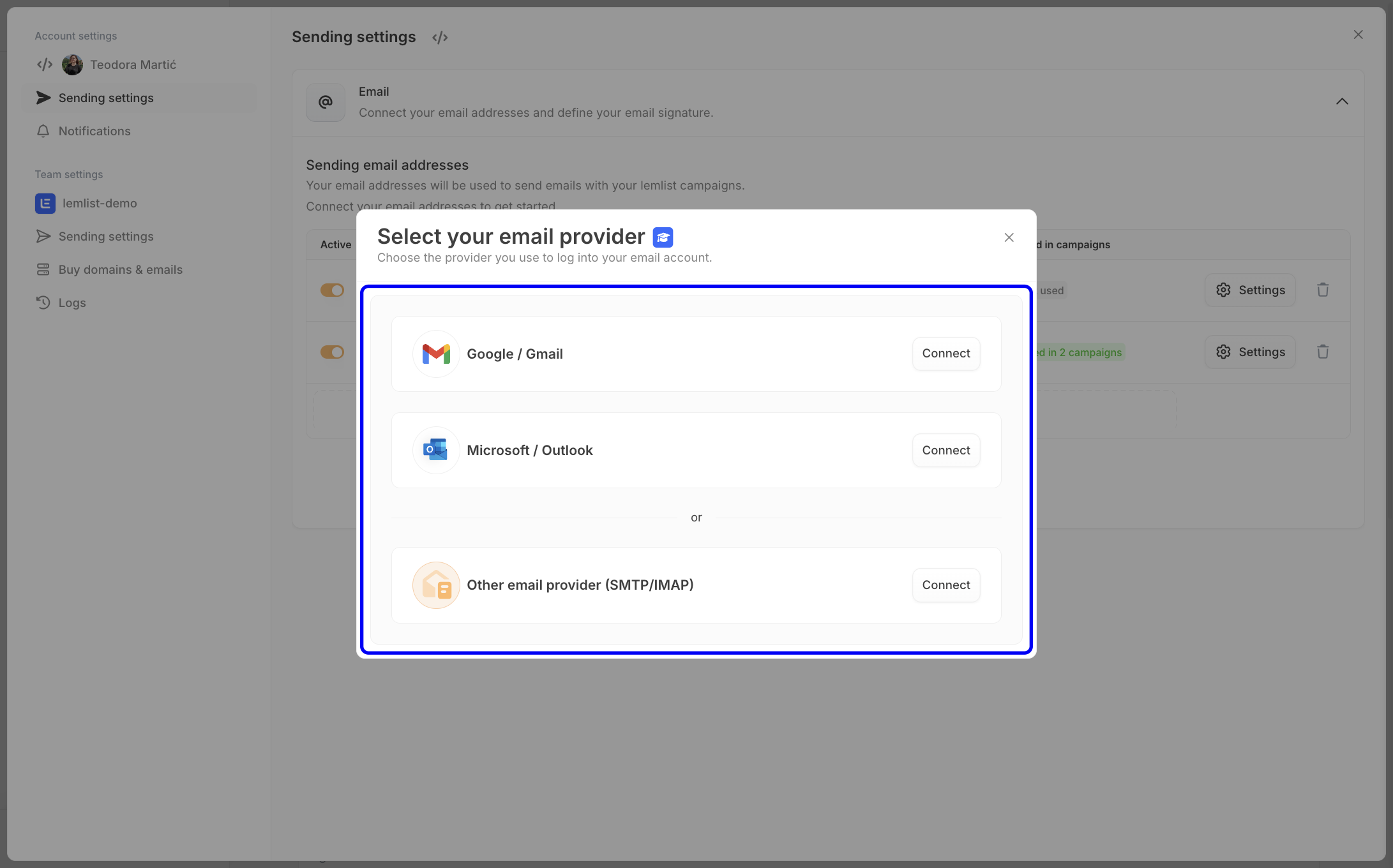
Step 2: Connect your email provider
Two ways to connect:
- Google or Microsoft: click "Connect" and you're in.
- Other providers: enter SMTP and IMAP details.
Need help? See Connect an email address to lemwarm.
Step 3: Verify your email address
Click "Verify your email." Open the verification email and click the link. Done.
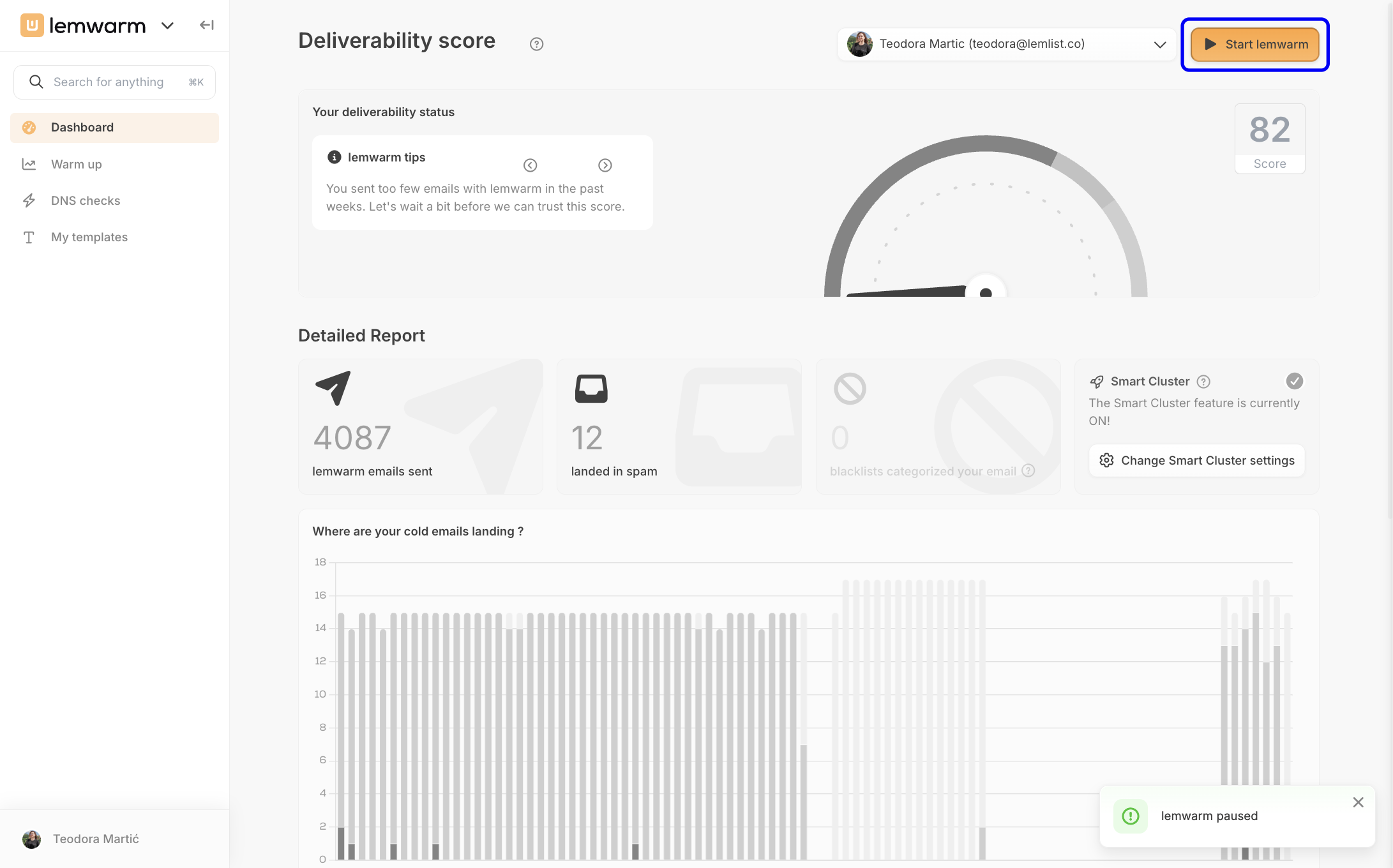
Step 4: Start lemwarm
Click "Start lemwarm" to authorize sending and replies.
From here you can run a technical setup check, which flags any DNS issues that could hurt deliverability. The full DNS setup guide covers Google, Microsoft, Zoho, and other providers.
Now you're ready to fine-tune your settings.
2. Customize your settings
Whether your inbox is brand new or 5 years old, the right settings keep it warm long-term.
Set up your daily limit
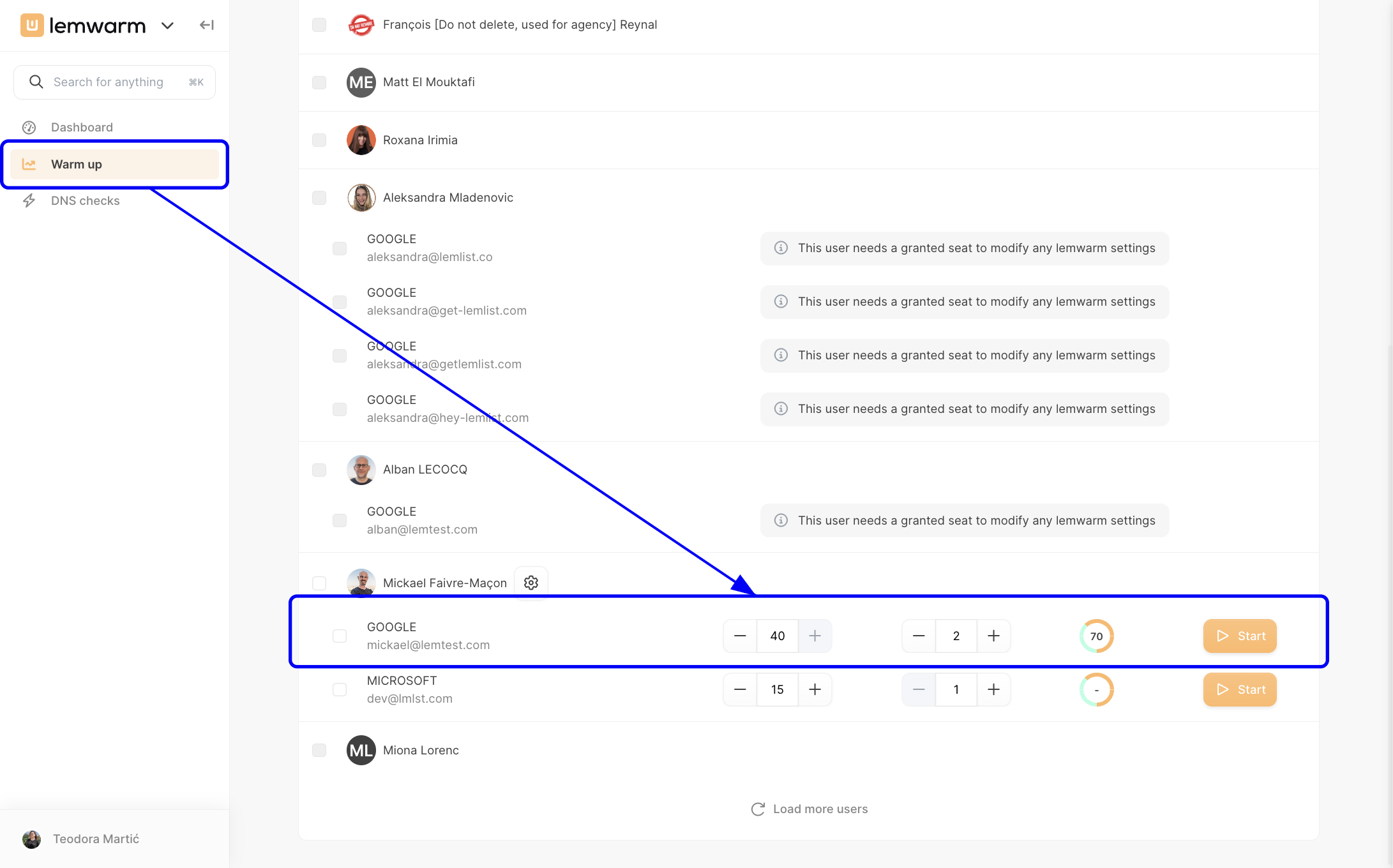
Open the Warm up tab to manage settings.
Set the daily limit to 40 emails per day from day one. That ceiling matches the volume you'll send with lemlist later. The ramp builds gradually under that ceiling, so you don't risk a sudden spike.
Most inboxes reach 40/day in 3 to 4 weeks. Hold there for 2 more weeks before launching campaigns.
While lemwarm ramps up, keep lemlist at 1 email per day. No campaigns, no exceptions.
When you switch to outreach, drop lemwarm to 10 to 20/day and start lemlist at 40/day. Combined sending lands around 50 to 60/day, which is plenty for a young inbox.
Two transition options:
- Option A: Start lemlist immediately at full volume while reducing lemwarm.
- Option B: Increase lemlist gradually (5, 10, 15/day) while decreasing lemwarm by the same amount each day. More careful, harder to track.
Keep lemwarm on at 10 to 20/day even after campaigns start. If spam placement rises in lemwarm, that's the early warning that lemlist activity is hurting your inbox. Pull back fast.
Personalize your warmup (Smart plan)
The Smart plan tailors warmup emails based on your audience and goals. Each subject line and message gets adjusted to your business through your questionnaire responses.
Why this matters: inbox providers evaluate the content of every email you send. Industry-relevant content builds trust. Generic content doesn't.
P.S. lemwarm emails are auto-labeled in your inbox so they stay out of your primary view. Setup guide: Filter lemwarm emails in Gmail and Microsoft.
3. Monitor deliverability score
AThe score shows where you stand and what to fix. Three colors, simple rules.
Red: don't launch. Usually a DNS or configuration issue, or a blacklist hit. The dashboard tells you which.
Orange: warming up. You can send, but keep volume low.
Green: you're ready. Run campaigns and keep lemwarm on to hold the score.
How the score breaks down:
- 70% from fixed factors: domain age and your SPF, DKIM, and MX setup.
- 30% from your inbox rate over the last 2 weeks.
Target: a score over 90 with a spam rate of 1 to 2% max. If your score sits between 80 and 90 even after reaching 40/day, your domain probably has an issue. Stay at the same volume longer and review your setup before launching.
Pull a detailed report for any time frame:
- Total lemwarm emails sent, including replies
- Emails saved from spam and other folders
- Where your emails are landing (Cold Email Performance)
- Where your replies are landing (Reply Performance)
- The reports tell you what's working and what to fix next.
The key takeaways
Inbox placement is what makes outreach work. Without it, the rest doesn't matter.
A warmup and deliverability booster keeps you out of spam and protects your sender reputation as you scale.
With lemwarm, you:
- Save the hours warmup would otherwise eat
- Build a sender reputation that's tailored to your business
- Keep deliverability high with detailed monitoring
P.S. The help center has step-by-step guides for everything in this article. Real customer results: success stories.
